ChatGPT 음성에서 ‘턴’이 사라졌다 — 말하는 도중에도 듣는 GPT-Live
음성 비서와 대화할 때 가장 어색한 순간은 늘 같았어요. 내가 말을 다 끝냈는지, AI가 확신할 때까지 기다리는 그 정적이요. 7월 8일 OpenAI가 내놓은 GPT-Live는 그 정적을 없애는 데서 출발했어요. 상대가 말하는 도중에도 계속 듣고, 필요하면 자연스럽게 끼어듭니다.
핵심 요약
- OpenAI가 7월 8일 새 음성 모델 GPT-Live-1과 경량판 GPT-Live-1 mini를 공개했어요. 유료 플랜(Go·Plus·Pro)은 GPT-Live-1, 무료 플랜은 mini가 기본 음성으로 적용됩니다.
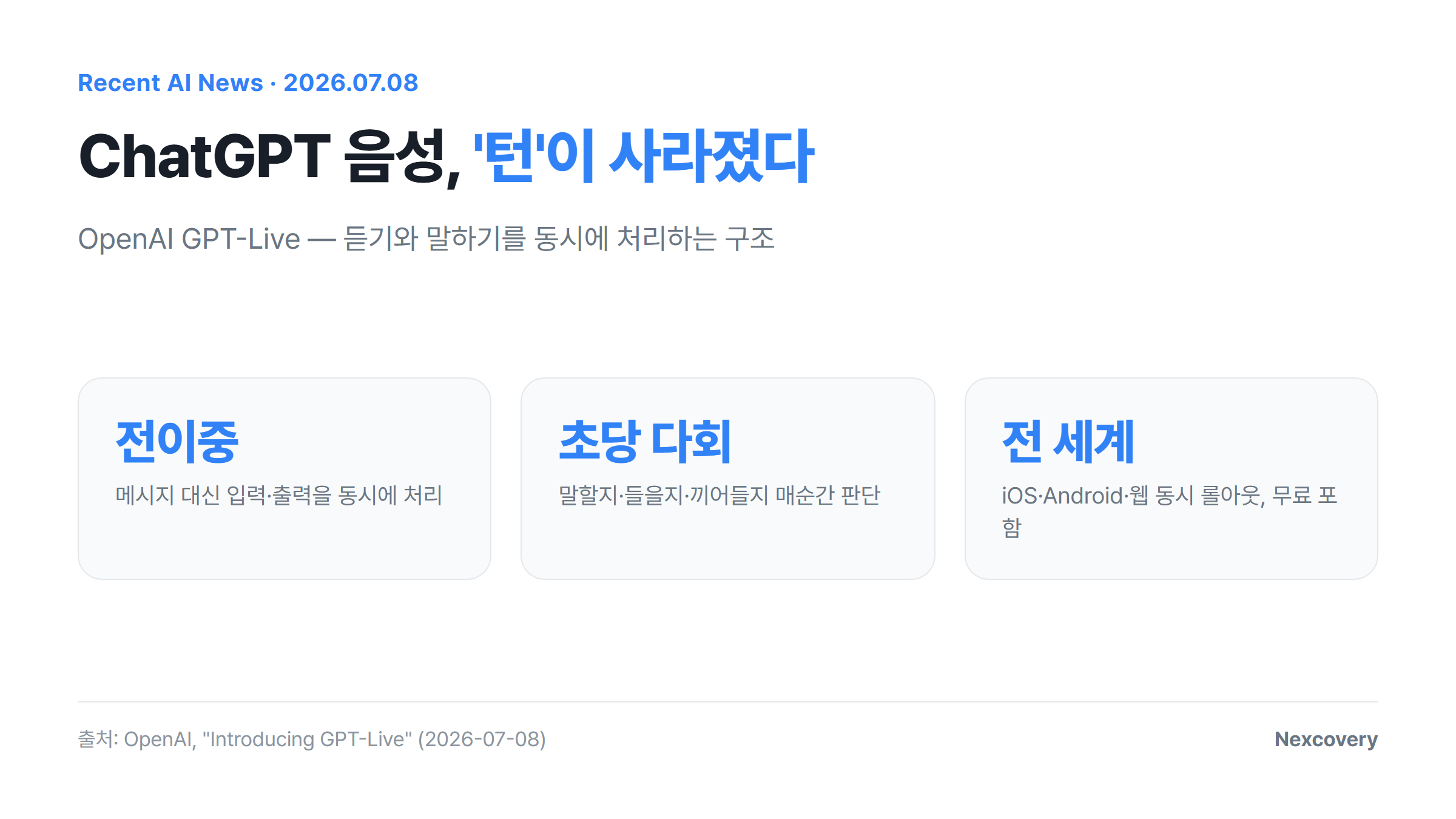
- 핵심 구조는 전이중(full-duplex)이에요. 사용자 발화를 하나의 메시지로 끊어 처리하던 기존 방식 대신, 입력을 받으면서 동시에 출력을 만들어내는 연속 처리 구조로 바뀌었어요.
- 모델이 초당 여러 번 “말할지, 계속 들을지, 잠깐 멈출지, 끼어들지, 도구를 호출할지”를 판단해요.
- 복잡한 질문이 들어오면 뒤에서 최신 프런티어 모델에 위임해 답을 받아온 뒤, 대화 흐름을 끊지 않고 자연스럽게 끼워 넣는 구조고요.
- iOS·Android·ChatGPT 웹에 전 세계 동시 롤아웃 중이고, 개발자용 API는 추후 공개 예정이에요.
OpenAI Kills the Turn: GPT-Live Listens While It Talks
Every voice assistant has had the same awkward beat: the pause where it waits to be sure you’ve finished talking. OpenAI’s GPT-Live, shipped July 8, is built to remove that beat entirely. It keeps listening while it speaks, and steps in mid-sentence when it needs to.
TL;DR
- OpenAI released GPT-Live-1 and a lighter GPT-Live-1 mini on July 8. GPT-Live-1 is the new default voice for Go, Plus, and Pro; mini is the default for Free users.
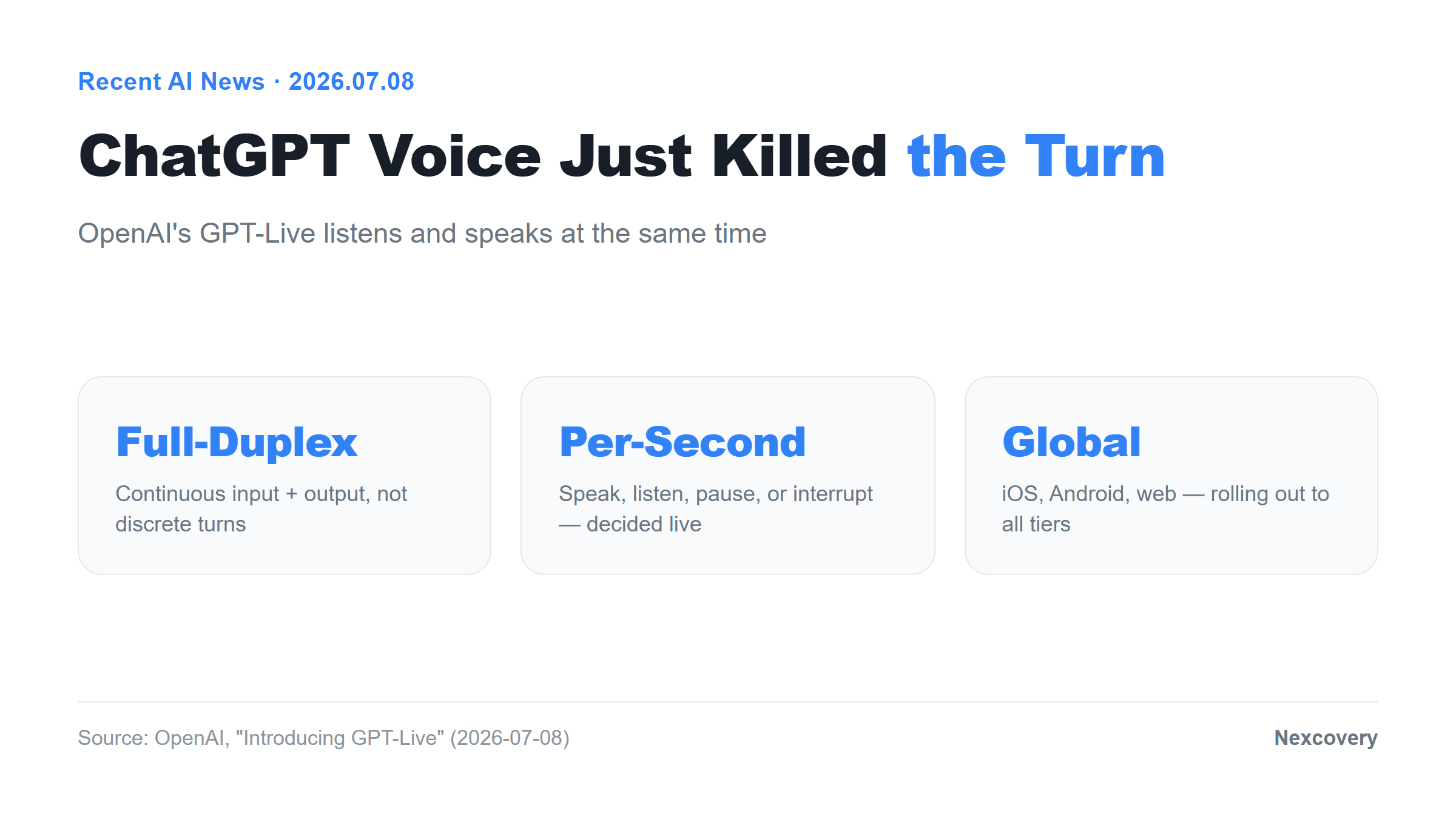
- The core change is a full-duplex architecture — instead of processing turns as discrete messages, the model continuously processes input while generating output.
- It makes an interaction decision many times per second: speak, keep listening, pause, interrupt, or invoke a tool.
- Harder questions get quietly delegated to OpenAI’s latest frontier model in the background, then folded back into the conversation without breaking the flow.
- Rolling out globally on iOS, Android, and the ChatGPT web app now; a developer API is coming later.
무엇이 어떻게 달라졌나
메시지 처리에서 연속 처리로
지금까지 ChatGPT의 Advanced Voice Mode는 턴 기반(turn-based)이었어요. 사용자가 말을 멈추면 그때부터 하나의 메시지로 간주해 처리하고, 응답을 만들어 재생하는 식이었죠. 사람 사이의 대화라면 당연한 “동시에 듣고 말하기”가 AI 음성에는 없었던 거예요.
OpenAI는 GPT-Live를 소개하며 이렇게 밝혔어요. “별도의 메시지를 처리하는 대신, 입력을 지속적으로 처리하면서 동시에 출력을 생성한다”고요. 사용자가 말을 다 마쳤는지 판단하는 과정 자체가 없어진 거예요. 입력과 출력이 같은 시간대에 나란히 흐릅니다.
대화 중 판단은 매초 여러 번 일어난다
이 구조에서 모델이 하는 일은 하나의 답을 만드는 게 아니라, 매 순간 다섯 가지 선택지 중 하나를 고르는 거예요. 말할지, 계속 들을지, 잠깐 멈출지, 끼어들지, 아니면 도구를 호출할지. 이 판단이 초당 여러 번 일어난다고 OpenAI는 설명했어요.
그래서 실제 대화에서는 사람이 말하는 도중에 AI가 “음”, “네” 같은 짧은 반응을 넣거나, 잠깐 생각할 시간이 필요하면 조용히 있는 것도 가능해졌어요. 말하는 도중에 사용자가 끼어들어도 AI가 계속 듣고 있다가 반응할 수 있고요. 지금까지 음성 AI가 “질문하면 답하는” 구조에 머물렀다면, 이제는 대화의 리듬 자체를 따라가는 쪽으로 옮겨간 셈이에요.
어려운 질문은 뒤에서 다른 모델이 처리한다
GPT-Live 자체는 대화의 흐름과 반응 속도에 최적화된 모델이에요. 그런데 웹 검색이 필요하거나, 깊은 추론이 필요하거나, 복잡한 작업이 들어오면 어떻게 될까요. OpenAI는 이럴 때 “뒤에서 최신 프런티어 모델에 위임하고, 준비되면 결과를 대화로 가져온다”고 설명했어요. 보도에 따르면 이 백엔드 모델은 GPT-5.5예요.
이 구조가 흥미로운 건, 사용자 입장에서는 “빠른 음성 모델”과 “똑똑한 추론 모델”을 구분해서 고를 필요가 없어진다는 점이에요. 대화는 GPT-Live가 계속 이어가고, 필요한 순간에만 더 무거운 모델이 조용히 개입하는 구조니까요.
새로 생긴 기능들
이번 업데이트에서 음성 9종이 다시 훈련돼 억양과 강조가 더 자연스러워졌고, 실시간 번역 기능도 새로 들어왔어요. 날씨·주식·스포츠 정보를 물으면 음성 답변과 함께 화면에 시각 카드(visual widget)가 함께 뜨는 기능도 추가됐고요. 음성만으로 끝나던 대화에 화면 정보가 자연스럽게 곁들여지는 방향이에요.
아직 못 하는 것
전이중 구조라고 모든 게 완벽해진 건 아니에요. 외신 보도에 따르면 동영상이나 화면 공유를 음성과 동시에 쓰는 기능은 아직 지원되지 않고, OpenAI가 추가 작업 중이라고 해요. 원어민이 아니거나 발음이 유창하지 않으면 인식 품질이 떨어질 수 있다는 한계도 보도됐어요. 새 기능일수록 한계도 같이 확인하고 쓰는 게 안전해요.
롤아웃 범위
GPT-Live-1은 Go·Plus·Pro 사용자에게, GPT-Live-1 mini는 무료 사용자에게 기본 음성으로 적용되고 있어요. iOS·Android·웹 동시에 전 세계로 순차 롤아웃 중이고요. 개발자·기업이 쓸 수 있는 API는 아직 공개되지 않았고, OpenAI는 사전 신청 폼으로 알림을 받을 수 있다고만 밝혔어요. 정확한 API 공개 시점은 아직 나오지 않았어요.
왜 중요한가
음성 AI는 그동안 “질문 하나, 답변 하나”의 반복이었어요. 사람끼리의 대화에서 당연한 맞장구, 끼어들기, 침묵의 여백이 음성 AI에는 구조적으로 없었던 거죠. GPT-Live는 그 구조 자체를 바꾼 시도예요. 대화의 완성도가 응답 품질이 아니라 타이밍과 리듬에서도 갈릴 수 있다는 걸 보여준 셈이고요.
공교롭게도 같은 주에 xAI도 Grok 음성에 신규 보이스와 보이스 클로닝을 대거 추가했어요. 텍스트 기반 챗봇 경쟁이 한 라운드 지나고, 이제 음성 인터페이스 자체가 다음 경쟁 지점으로 옮겨가는 흐름이 보여요. 어느 한쪽이 이겼다기보다, 음성이 진지한 인터페이스로 취급되기 시작했다는 신호로 읽는 게 맞을 것 같아요.
실무적으로 보면, 지금까지 “음성 비서는 보조 기능”이라 여겼던 태도가 바뀔 여지가 생겼어요. 회의 요약, 실시간 통역, 손이 자유롭지 않은 상황에서의 작업 지시처럼 끼어들기와 자연스러운 흐름이 중요한 작업일수록 전이중 구조의 체감 차이가 클 거예요.
핵심 통찰
이번 발표에서 진짜 중요한 변화는 음성 품질이 아니라 처리 단위예요. 메시지 단위로 주고받던 대화가 연속된 시간의 흐름으로 바뀌면, AI가 “언제 말할지”를 스스로 판단해야 하는 문제가 새로 생겨요. 이건 더 좋은 TTS(음성 합성) 모델을 만드는 문제가 아니라, 대화의 흐름 자체를 모델링하는 문제고요.
메시지를 주고받던 AI가, 이제 대화의 리듬을 함께 타기 시작했어요.
그리고 백엔드에서 프런티어 모델에 조용히 위임하는 구조는 앞으로 다른 실시간 AI 제품에도 퍼질 가능성이 높아요. 빠른 반응이 필요한 앞단 모델과, 깊은 추론이 필요한 뒷단 모델을 분리하고 사용자에게는 하나의 매끄러운 경험으로 보여주는 방식이요.
My Take
저는 이번 발표를 보면서 “이제 음성으로 일을 시켜도 되겠다”는 확신보다는, “시험해볼 가치가 생겼다”는 정도로 받아들이고 있어요. 아직 화면 공유와 동시에 쓸 수 없고, 억양에 따라 인식 품질이 갈릴 수 있다는 한계가 분명히 있거든요. 새 기능이 나오면 장점보다 한계부터 먼저 확인하는 습관이 이럴 때 도움이 돼요.
그래도 끼어들기와 맞장구가 자연스러워졌다는 건 실제 워크플로우에 꽤 크게 작용할 여지가 있어요. 예를 들어 회의 중 실시간으로 요약을 부탁하거나, 운전하면서 아이디어를 구술로 정리하는 상황에서는 “말이 끝나길 기다리는 AI”와 “대화 중간에 반응하는 AI”의 체감 차이가 클 거예요. 지금 당장 해볼 수 있는 건 간단해요. ChatGPT 음성 모드를 켜고, 일부러 말하는 도중에 질문을 던져보는 거예요. 예전 같으면 씹혔을 상황에서 AI가 반응하는지를 보면, 이 구조가 실제로 얼마나 다른지 체감할 수 있어요.
API가 열리면 그다음 단계가 궁금해져요. 지금은 ChatGPT 앱 안에 갇혀 있는 이 대화 리듬을, 회의 도구나 콜센터 시스템 같은 실제 업무 도구에 붙였을 때 얼마나 자연스러운 결과가 나올지가 진짜 시험대가 될 것 같아요.
Deep Dive
From message processing to continuous streaming
Until now, ChatGPT’s Advanced Voice Mode was turn-based: it waited for a pause, treated what you said as one discrete message, then generated and played back a response. The thing that comes naturally to two humans talking — listening while speaking — simply wasn’t part of the architecture.
OpenAI describes the change directly: GPT-Live “was built for continuous interaction using a full-duplex architecture, and instead of processing separate messages, it continuously processes input while generating output.” There’s no longer a discrete moment where the model decides you’re done talking. Input and output run on the same timeline.
Decisions happen many times per second
Under this architecture, the model isn’t producing one answer at a time — it’s continuously choosing among five options: speak, keep listening, pause, interrupt, or call a tool. OpenAI says this decision happens many times per second.
In practice, that means the model can drop in a quick “mhmm” or “yeah” while you’re still talking, or go quiet if you need a moment to think. You can also talk over it mid-response and it keeps listening instead of ignoring you. Voice AI has mostly lived in a strict question-then-answer loop; this pushes it toward tracking the actual rhythm of a conversation.
Harder questions get delegated behind the scenes
GPT-Live itself is optimized for conversational flow and response speed. For anything that needs web search, deeper reasoning, or more complex work, OpenAI says it “delegates to our latest frontier model behind the scenes and brings the result back into the conversation when it’s ready.” Reporting points to GPT-5.5 as that backend model.
What’s notable here is that users no longer have to choose between a fast voice model and a smart reasoning model — GPT-Live keeps the conversation going while a heavier model quietly does the harder work off to the side.
What’s new alongside the architecture
Nine existing voices were retrained for more natural pacing and emphasis, real-time translation was added, and visual response cards now show up alongside spoken answers for things like weather, stocks, or sports — voice conversations picking up an on-screen layer.
What it still can’t do
Full-duplex doesn’t fix everything. According to reporting, video or screen-sharing still can’t run alongside voice, with OpenAI said to be working on it. Recognition quality reportedly still struggles with strong non-native accents or lower fluency in certain languages. Worth checking the limits before assuming this works everywhere.
Rollout
GPT-Live-1 is now the default for Go, Plus, and Pro users; GPT-Live-1 mini is the default for Free users. Rollout is underway simultaneously on iOS, Android, and the web app, expanding globally over the coming days. A developer API isn’t out yet — OpenAI only points to a signup form for updates, with no date given.
Why It Matters
Voice AI has mostly been one question, one answer, repeated. The backchannel cues, interruptions, and pauses that make human conversation feel natural were structurally absent. GPT-Live is an attempt to rebuild that structure from the ground up — a reminder that conversation quality isn’t just about answer quality, it’s also about timing and rhythm.
The same week, xAI rolled out a large batch of new voices and voice cloning for Grok. Text-based chatbot competition already had its round; this looks like the next one moving to the voice interface itself. Rather than declaring a winner, it’s more useful to read this as voice finally being treated as a serious interface layer.
Practically, this chips away at the assumption that voice assistants are a secondary feature. Meeting summaries, live interpretation, or hands-busy task dictation are exactly the workflows where full-duplex interaction should feel most different.
Key Insight
The real shift here isn’t voice quality — it’s the unit of processing. Once a conversation stops being a sequence of discrete messages and becomes a continuous stream, the model has to solve a new problem: when to speak at all. That’s not a better text-to-speech problem, it’s a conversation-modeling problem.
An AI that used to trade messages back and forth has started keeping time with the conversation itself.
The pattern of quietly delegating to a frontier model in the background is also likely to spread to other real-time AI products — a fast front-of-house model paired with a slower, smarter one, stitched into a single experience the user never has to manage.
My Take
My reaction to this isn’t “voice is ready to run real work now” — it’s “this is now worth testing.” The screen-sharing gap and the accent-dependent recognition quality are real limits, and checking limits before the upside is a habit worth keeping whenever something new ships.
Still, natural interruption and backchanneling could matter a lot in real workflows. Asking for a live summary mid-meeting, or dictating ideas while driving, are exactly the situations where “waiting for you to finish” versus “responding mid-sentence” should feel very different. One simple thing to try right now: turn on ChatGPT voice mode and deliberately interrupt it mid-sentence. Whether it responds instead of getting cut off tells you how real this architecture change actually is.
The more interesting test comes once the API opens up — whether this conversational rhythm, currently locked inside the ChatGPT app, holds up when it’s wired into an actual meeting tool or support system.
댓글Comments